
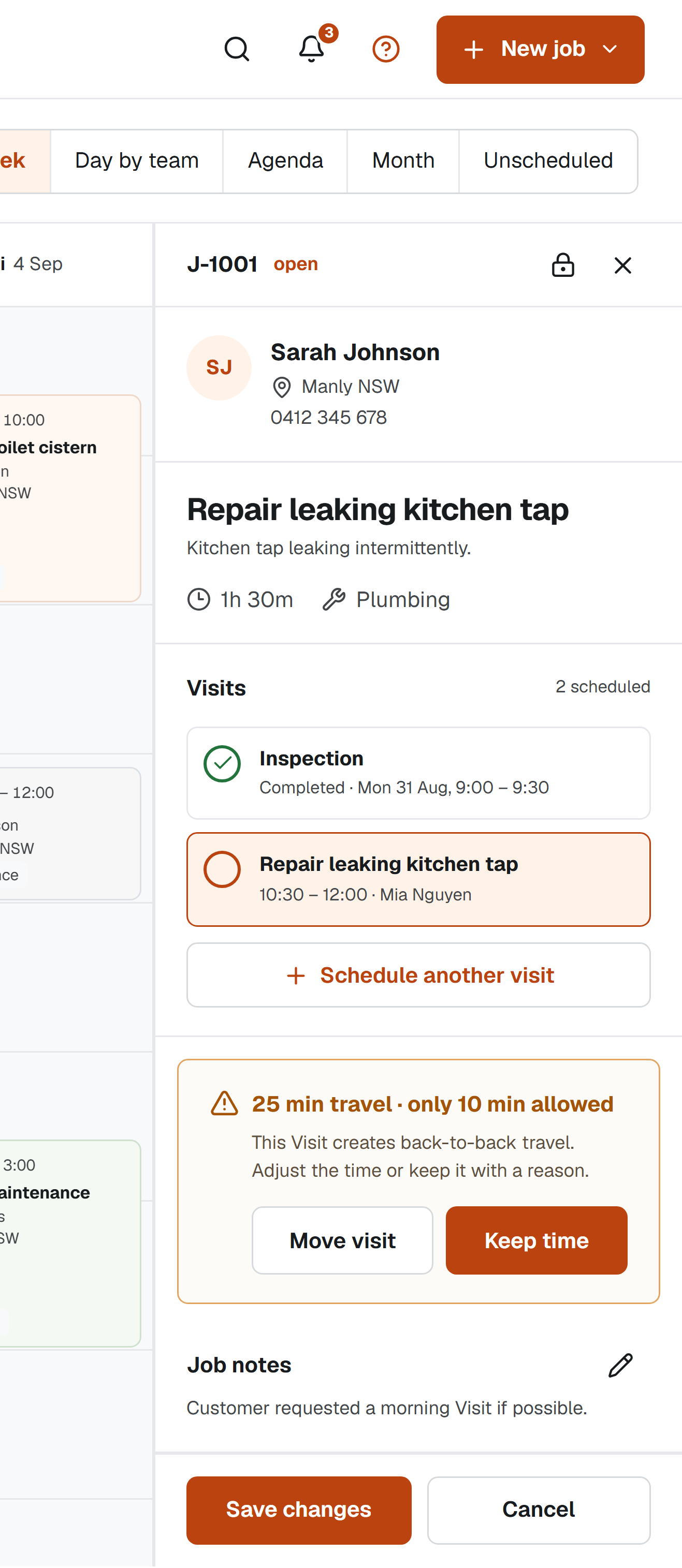
Many field Jobs do not finish in one attendance. You may need to inspect first, return with a part or spread work across several days. Treating every attendance as a separate Job fragments the Customer history. Treating the whole Job as one calendar event makes rescheduling brittle. The cleaner model is one Job with several Visits.
Keep the Job stable while Visits change
The Job should hold the Customer, Location, overall description and completion boundary. Each Visit holds one attendance: its time, duration, assignee, status and notes. This lets you move Friday's return without changing the original inspection record.
It also improves communication. When a Customer calls, you can see the whole sequence rather than searching for several loosely named events. A Job number remains consistent even when the schedule contains multiple dates.
Use explicit Visit outcomes
Completing a Visit should mean the attendance finished, not necessarily that the problem is resolved. Record whether the work is complete, parts are required, a quote is being considered or another Visit has been agreed. Then schedule the next step from the same Job.
Avoid automatically completing the Job when its latest Visit ends. Someone should make that decision after checking that no follow-up remains. Explicit completion creates a reliable handoff to invoicing and reduces forgotten returns.
Make the next action visible
An open Job with no future Visit needs attention. Treat that as an unscheduled condition and review it alongside the calendar. The Job might be waiting for a part, a Customer decision or your next available time, but the reason should be visible.
If you are waiting on someone else, record the dependency and a review date rather than creating a false Visit. This keeps confirmed work honest while making the follow-up hard to forget.
- Inspection completed; diagnosis recorded
- Part ordered; review date set
- Return Visit scheduled and Customer updated
- Final Visit completed; outcome recorded
- Job explicitly completed and ready for invoicing
Review the sequence, not just the last entry
Before closing the Job, scan every Visit and confirm that dates, notes and photos tell a coherent story. This helps with Customer questions and provides better inputs for the invoice description. It also reveals whether recurring problems need a different Job type or checklist.
Multi-Visit support is valuable because it matches the work rather than because it adds complexity. The Customer sees one piece of work. Your records should show the same thing, with each attendance preserved underneath.
Sources and scope
This practical guide was checked against the primary sources below on 1 September 2026. It is general information, not legal, tax, safety or accounting advice for your circumstances.
How we write and maintain our guides. Free templates and planning tools.