An ordinary calendar
Good at holding a time. Thin on Customer, Location and Job history.
Plan on-site Jobs, Customer Locations and return Visits in one clear calendar. Try Pro+ for 14 days, with no credit card required. Then choose the paid plan that fits your work.
Now connects with
Free Invoice AppTurn completed Jobs into invoice drafts. Separate accounts, plans and billing.See how it connectsOn-site work has a Customer, a service Location, notes, a status and sometimes a second Visit. Daylane keeps that context with the schedule, without turning every Job into an admin project.
Good at holding a time. Thin on Customer, Location and Job history.

The calendar stays familiar while the whole Job stays attached.
Powerful when you need it. Heavy when you only need to run the week.
Daylane follows the way field work actually unfolds. Every step leaves the Customer, place and work history where you expect it.
The schedule answers the questions that matter in the middle of a busy week: what is booked, what still needs a time, where the Job is and what happens next.
Week, day, agenda, month and unscheduled views use the same Visit records, so the plan never has to be rebuilt elsewhere.
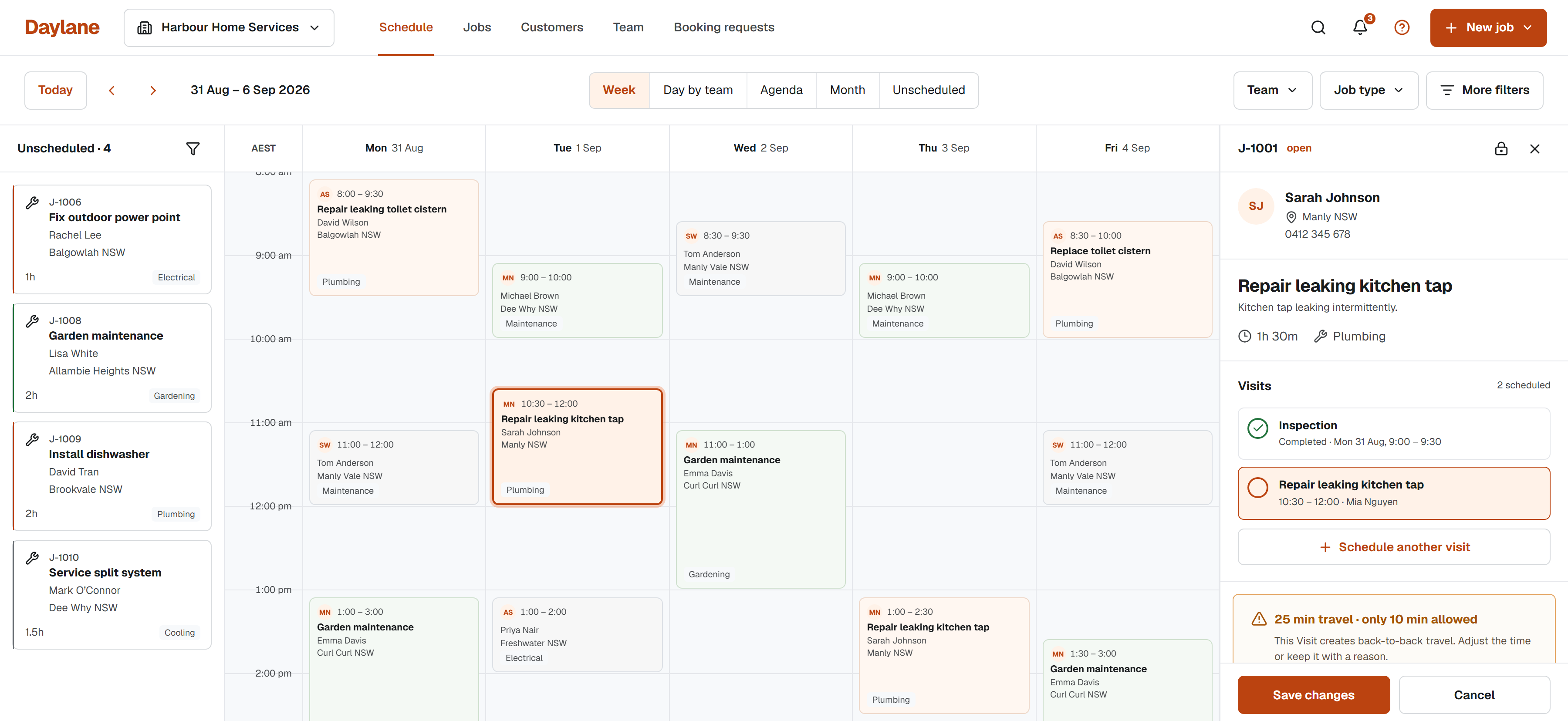
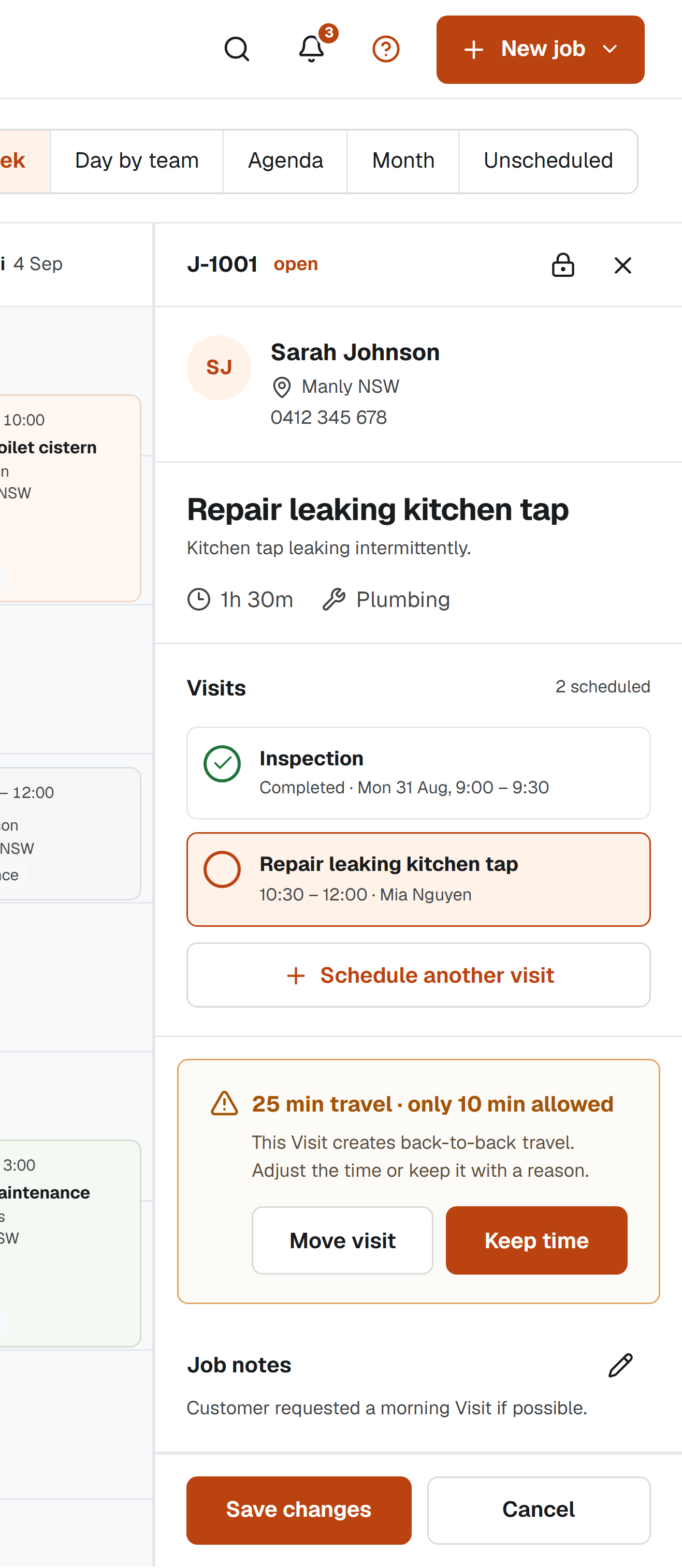
Keep an inspection, main attendance and return Visit under one Job without losing the Customer, Location or notes.
Work without a time remains part of the plan, not a lost note.
See conflicts early and keep an urgent time with a reason.
Customer requests change nothing until your Business agrees.
Daylane can flag overlaps, Team Availability and travel-buffer pressure before a Visit is saved. An authorised user can keep an urgent time and record why.
Share a private Visit Page for the confirmed date, Location and calendar link. A Customer can request a change or cancellation, but nothing moves until your Business accepts it.
Tuesday 1 September, 10:30 am
Manly NSW
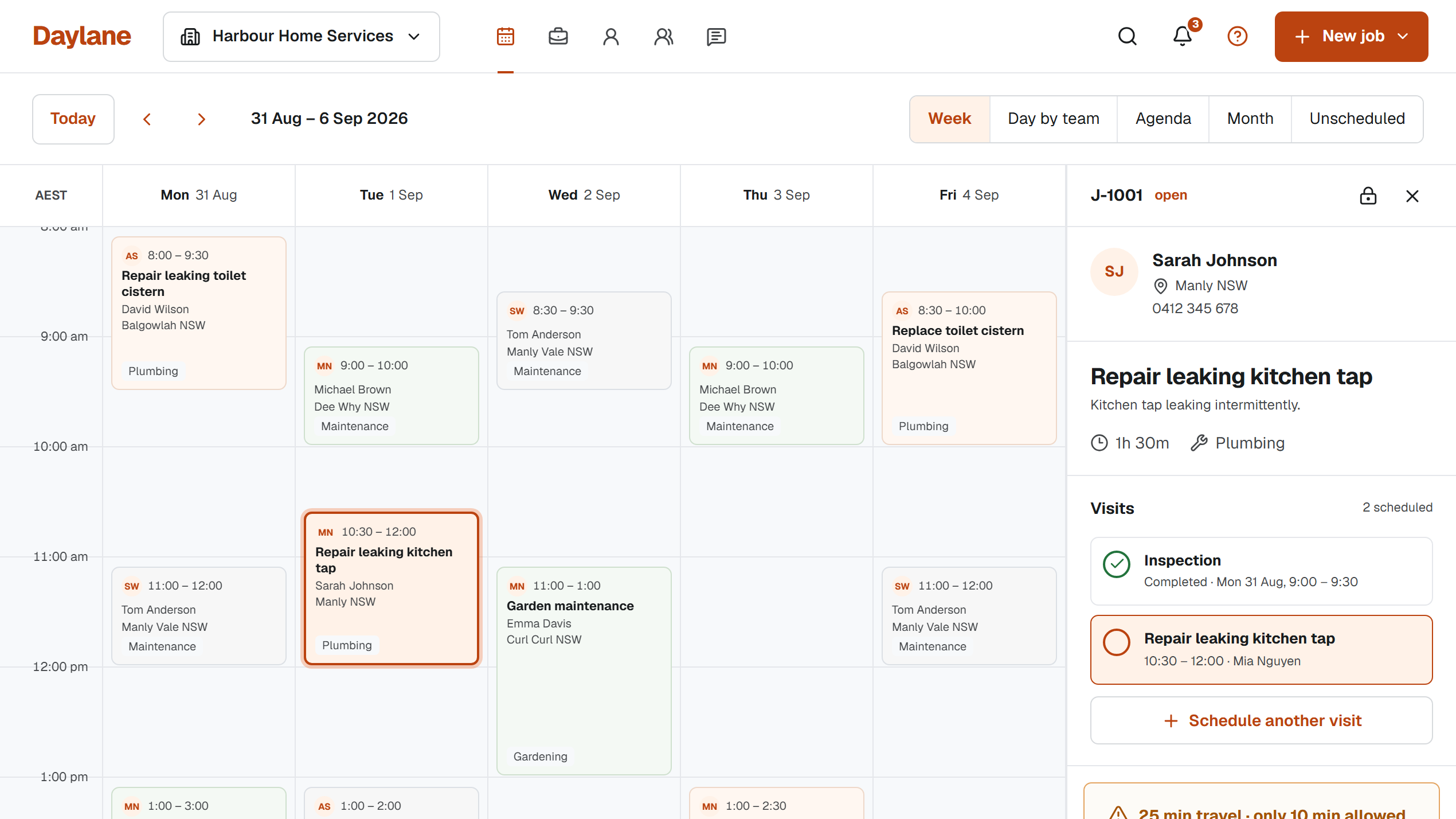
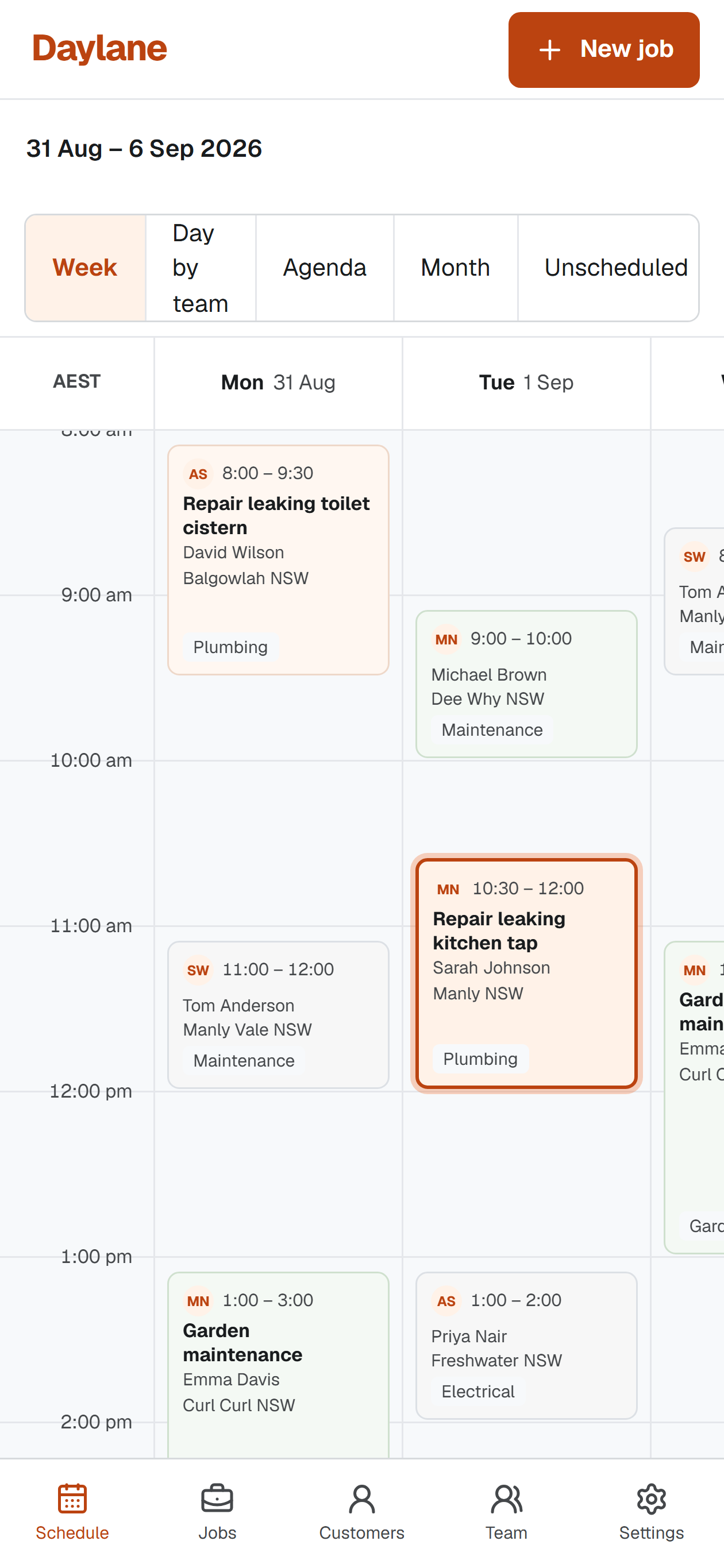
Request a changeThe phone layout keeps Visit times, Customers, Locations, calendar views and product navigation available without reducing the interface to a generic summary.
Daylane does not collect continuous GPS history.
Daylane fits residential service calls and recurring field work, especially when a Job may need an inspection or return Visit.
No card required for your trial. Then choose Pro or Pro+. Save two months with annual billing.
For straightforward solo scheduling
1 user
For less admin, repeat work and growing teams
1 user included, add more any time
Prices in Australian dollars. No GST charged.
Secure payment via Stripe. Cancel any time from Billing.
One user included on either plan. Extra users require Pro+ and cost A$7/month or A$70/year each. Paid Pro+ subscriptions include 50 SMS messages per Business each month; trials do not include SMS. Google Calendar, Outlook.com and Microsoft 365 sync are included in Pro+. After the trial, a paid plan is required to create or edit work; your history and exports stay accessible. Free Invoice App plans and billing are separate.
Connect Free Invoice App in Settings → Invoicing. When a Job is complete, review the Customer and work details, then create an invoice draft in your connected account. Confirm the recipient before sending, all from Daylane.
Your Free Invoice App numbering, branding, payment details and sending limits apply. Each app has its own plan and billing; paid plans are purchased separately. The connection is optional, and you can keep using another invoicing system.
Connect your accountsCompleted JobFree Invoice App draftReview the details. Create a draft. Confirm before sending.The trial, the plans and who controls the calendar should all be clear before you create an account.
Yes. Pro+ includes sync with Google Calendar, Outlook.com and Microsoft 365. Connect your account in Settings → Calendars to export assigned Visits and use external events to check availability. Changes to Visit times made in your connected calendar are presented for review in Daylane. Microsoft 365 accounts may require your organisation's administrator approval. Private one-way calendar feeds are available on both plans.
Daylane includes a 14-day Pro+ trial for one user, with no card required. After that, choose Pro at A$9/month or A$90/year, or Pro+ at A$19/month or A$190/year. There is no permanent free plan. Extra Pro+ users cost A$7/month or A$70/year each.
Daylane is built for field Jobs that the Business controls. Customers can request work or a change, but they do not silently alter your calendar.
Yes. Keep an inspection, main attendance and return Visit under the same Job. You can move or complete one Visit without losing the rest of the Job history.
Daylane can warn about overlapping work, Team Availability and tight travel buffers before a Visit is saved. An authorised user can still keep an urgent time and record why.
Yes. The Business Owner can connect an account in Settings → Invoicing. Complete a Job, review the Customer and work details, and create an invoice draft in Free Invoice App. Review the recipient and confirm before sending from Daylane. Your Free Invoice App numbering, branding, payment details and plan limits apply.
No. Each app has its own account, plan and billing. A Daylane subscription does not include a paid Free Invoice App plan, and a Free Invoice App subscription does not include Daylane. Free Invoice App's free Starter plan keeps its usual limits; Pro or Pro+ must be purchased separately. Connecting accounts does not combine subscriptions or allowances.
No. Daylane keeps the Customer and service Location with assigned work, but it does not collect continuous worker GPS history.
Daylane is designed for Australian sole traders and small field-service businesses whose work happens at Customer Locations, especially when Jobs need an inspection or return Visit.
14 days of Pro+ · No card required · Plans from A$9/month